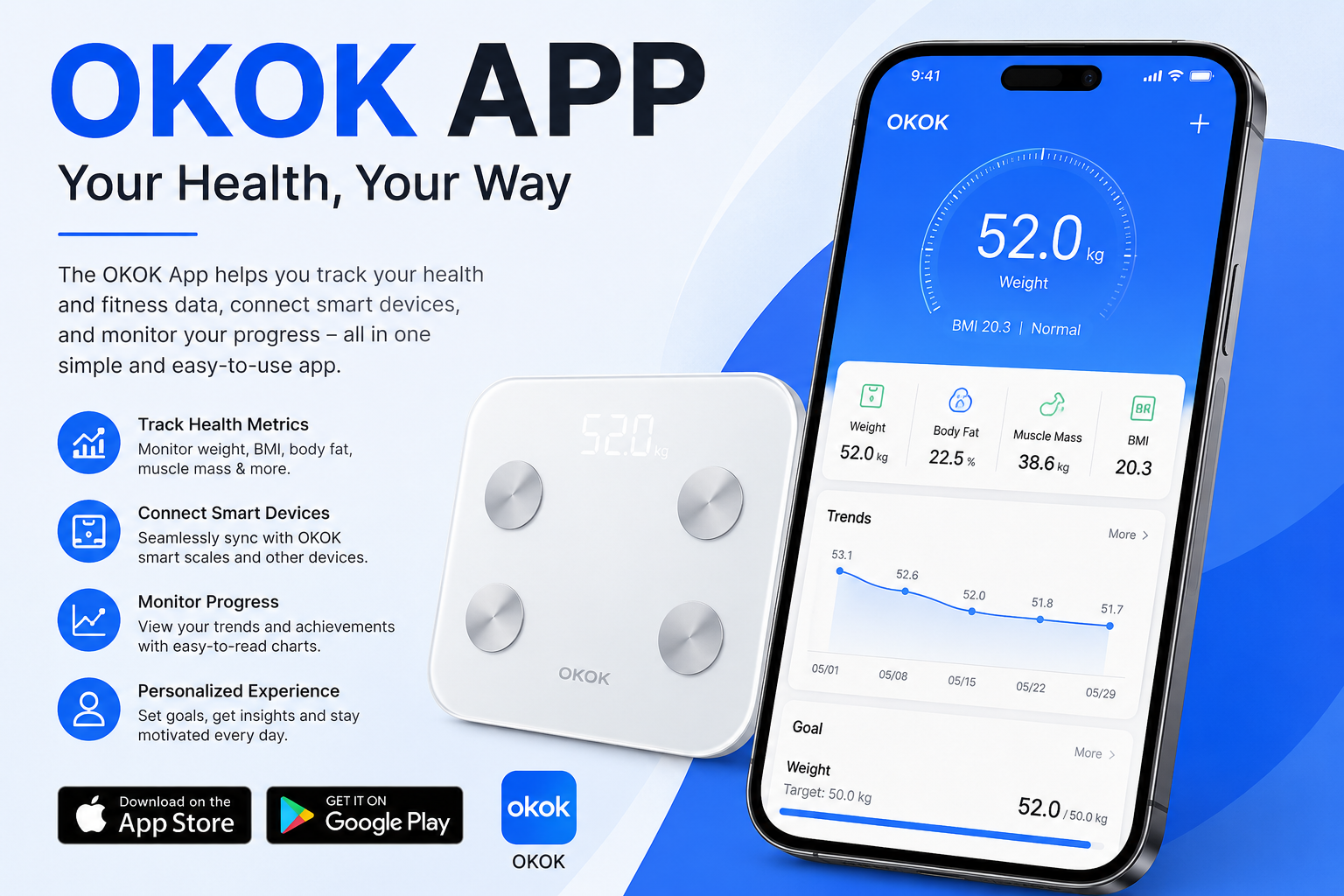
Many people want to stay healthy and keep track of their body weight in a simple way. The OKOK app makes this easy because it works with smart scales that connect through Bluetooth. This app helps you see more than just your weight. It shows details like body fat, body water, and muscle. After that, you can watch how your body changes over time. This means you stay motivated and make better choices for your health every day.
In this article, you will learn everything step by step. We will talk about setting up the app, connecting your scale, understanding the numbers, and watching your progress. The information uses simple steps so anyone can follow along, even if you are new to smart devices. Many families use this kind of tool together, and it feels like having a helpful friend that remembers your numbers for you.
Why Use the OKOK App for Your Health Journey
Life gets busy, and it is hard to remember every small change in your body. That is why a smart app like this one is useful. It connects your scale to your phone so the information goes straight there. For example, after you step on the scale in the morning, the app saves the data right away. This means you do not need to write anything down by hand.
Another thing is that the app gives you a clear picture of your whole body health. It does not stop at weight. It also looks at body fat and muscle. Over time, these details help you see real improvements, like when you eat better food or walk more. Families love this because parents and kids can each have their own profile. In addition, the app works with other health tools on your phone, such as Apple Health or Google Fit. This makes everything feel connected and simple.
Many people start using it when they want to lose a little weight or build strength. Because the app shows trends in easy pictures, you feel encouraged instead of confused. Next, we will look at how to begin.
Getting Started with the OKOK App
First, you need to put the app on your phone. You can find it on the Google Play Store for Android phones or the Apple App Store for iPhone. Search for OKOK International. It is free to download. After you open it, you will create a simple account. Use your email or another easy way to sign in. This step takes only a few minutes.
Once you are inside the app, it asks for some basic information about you. Think about your age, height, and usual activity level. Be honest here because this helps the app give better advice later. For example, if you walk a lot for work, tell the app so it understands your daily life. That’s why good starting information leads to better results over time.
After that, turn on Bluetooth on your phone. This is important because the scale talks to the app through Bluetooth. Do not worry if you are not sure how to turn it on. Most phones have a quick button in the settings menu. The app will remind you gently if something is missing.
How to Connect Your Smart Scale to the OKOK App
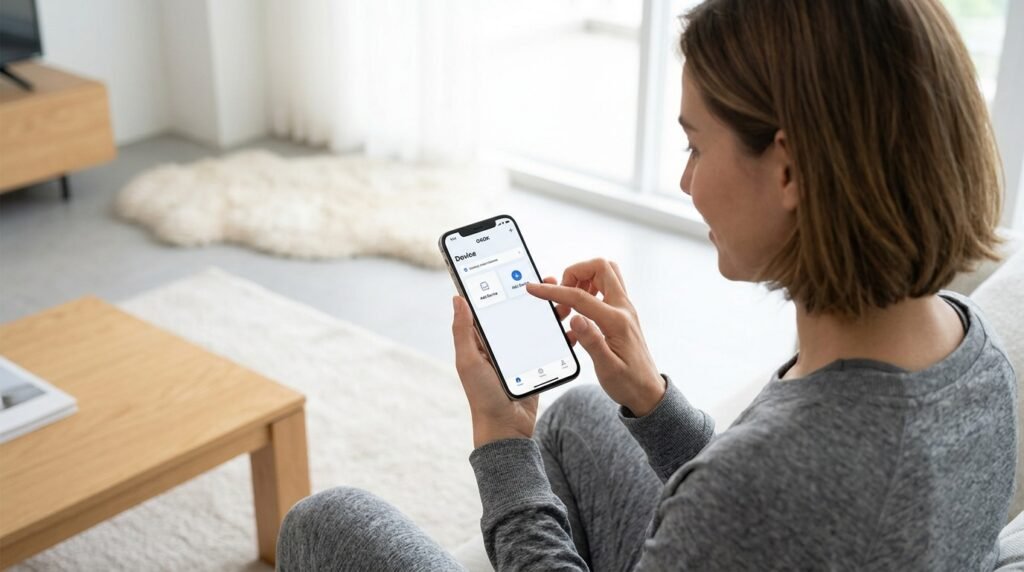
Connecting the scale is one of the most exciting parts. It feels like magic when it works the first time. Here is how you do it in clear steps.
Open the app and look for the Device section, usually at the bottom of the screen. Tap on Add Device or Pair. The app will look for your scale. Next, step lightly on the scale while it is near your phone. Many scales turn on when you step on them. After that, the app shows your weight number on the phone screen. If it looks correct, tap Bind or Confirm. Give your scale a simple nickname, like “Home Scale,” so you remember it easily.
This connection usually happens quickly because the app and scale talk automatically. Another thing is that you only need to do this pairing once. After the first time, it connects by itself when you use the scale and have Bluetooth on. In addition, make sure your phone and scale are close, within a few feet, for the best connection.
If you have trouble, check that Bluetooth is really on and that the scale has fresh batteries. Most people connect without any problems. For example, one mom in a busy family said she connected it in under two minutes while her kids watched. After that, everyone could use it.
Setting Up Your Personal Profile for Better Results
Your profile is like the heart of the app. After connecting the scale, go back to your account settings. Add details such as your target weight if you have one. This means the app can show you how close you are getting to your goal. You can also add family members. Each person gets their own space so the numbers stay private and correct.
The app asks questions about your goals. Do you want to lose weight, gain muscle, or just stay steady? Answer these, and it gives friendly suggestions about food, sleep, and movement. For instance, if your body water is a little low, it might remind you to drink more water. These small tips add up over time and make healthy habits feel natural.
Understanding the Numbers the App Shows You
When you step on the scale, the app shows many numbers. At first, this might look like too much information. But do not worry. We will break it down simply.
Weight is the main number you already know. Next comes body fat percentage. This tells how much of your body is fat. Lower numbers often mean you are getting fitter, but it depends on your age and goals. Body water shows how hydrated you are. Muscle mass helps you see if your strength is growing from exercise.
BMI is another number. It compares your weight to your height in a simple way. The app explains what each number means with colors or easy words, like green for good or yellow for something to watch. This means you learn without feeling bad about yourself. Over time, you get used to these details and they become helpful friends on your journey.
For example, imagine you start walking every evening. After a few weeks, your muscle number might go up a little while your body fat goes down. Seeing this change in the app feels rewarding because it shows your hard work is working.
Monitoring Your Progress with Charts and Trends

One of the best parts of the OKOK app is watching your story over weeks and months. The app turns your measurements into clear charts. These pictures show lines going up or down so you can see patterns easily.
For instance, you might notice your weight goes down slowly on weekends when you are more active. Or you see that drinking more water keeps your body water steady. Because the app saves everything, you do not lose any data. In addition, you can look back at any time to remember how far you have come.
Another thing is goal setting. You pick a target, and the app shows your progress toward it. This keeps you excited. Families often check charts together at dinner time and celebrate small wins, like staying steady for a whole month. That’s why tracking feels fun instead of like a chore.
Tips for Getting the Most Accurate Measurements
To make your numbers trustworthy, follow a few easy habits. Always weigh yourself at the same time, like right after waking up and before eating. Stand straight on the scale with bare feet for the best contact. Also, try not to weigh yourself right after a big meal or hard exercise because the numbers might change a little.
Keep your scale on a flat, hard floor. Carpets can make it less accurate. In addition, clean the metal parts on top of the scale once in a while with a soft cloth. These small steps help the app give you information you can really trust.
If you share the scale with family, each person should tap their own picture in the app before stepping on. This means the data goes to the right profile every time.
Common Mistakes to Avoid When Using the App
Everyone makes small mistakes at the beginning, and that is okay. One common one is forgetting to turn on Bluetooth. Without it, the scale cannot send data. Another mistake is stepping on the scale too quickly before the app is ready. Take your time, and the connection works better.
Some people ignore the advice part of the app. But those suggestions about food and activity can make a big difference. For example, if the app says you might need more sleep, trying it for a week often helps your energy and weight stay steady. Over time, avoiding these mistakes makes the whole experience smoother and more enjoyable.
Also, do not check your weight every hour. Once a day or a few times a week is enough for most people. This helps you focus on real changes instead of small daily ups and downs.
Using Extra Features Like Food and Activity Tracking
The app has more tools to help you. You can add what you eat in a simple food diary. It gives ideas for healthy meals. There are also reminders for drinking water or moving around. In 2026, newer updates include things like fasting timers that some people find useful for their routines.
You can connect the app to your phone’s main health area. This means your steps from a watch or other app join the weight data in one place. Another thing is that the app works for many family members, so everyone feels included in the health journey.
FAQ About the OKOK App and Smart Scales
How do I change my profile if my goals change?
Go to your account settings inside the app. You can update your information anytime. The app will adjust its suggestions after that.
Can multiple people use the same scale?
Yes. Each person adds their own profile. Just select the right one before weighing.
What if the scale does not connect?
Make sure Bluetooth is on and the scale is close. Restart the app or your phone if needed. Most times it connects again easily.
Does the app cost money?
The basic version is free. Some extra features might have choices, but you can use the main tracking without paying.
Is it safe for kids to use?
Many families use it together. Check with a doctor for young children because body numbers mean different things at different ages.
How do I see old measurements?
Look in the history or chart section. The app keeps everything so you can scroll back.
Can I connect it to other health apps?
Yes, it works with popular ones like Apple Health and Google Fit when you allow it.
Conclusion: Building Healthy Habits That Last
Learning to use the OKOK app with your smart scale opens a new way to care for your body. You start by connecting everything, then watch clear numbers and charts that show your real progress. Because the steps are simple and the app feels supportive, many people keep using it for months and years.
Remember that small daily choices add up to big changes. Celebrate every steady week or small improvement you see. In the end, the app is just a helpful tool. The real power comes from you and your desire to feel good. Keep going, stay curious about your health, and enjoy the journey one step at a time.
Disclaimer: This content is for informational purposes only and does not endorse any specific app, product, or service. Always follow the official instructions for your devices and consult professionals for health-related decisions. Information may change over time.
Explore More:
Status Smart App – Create Eye-Catching Social Media Status
How to Use the Balance App Menopause for Better Symptom Management
About the Author