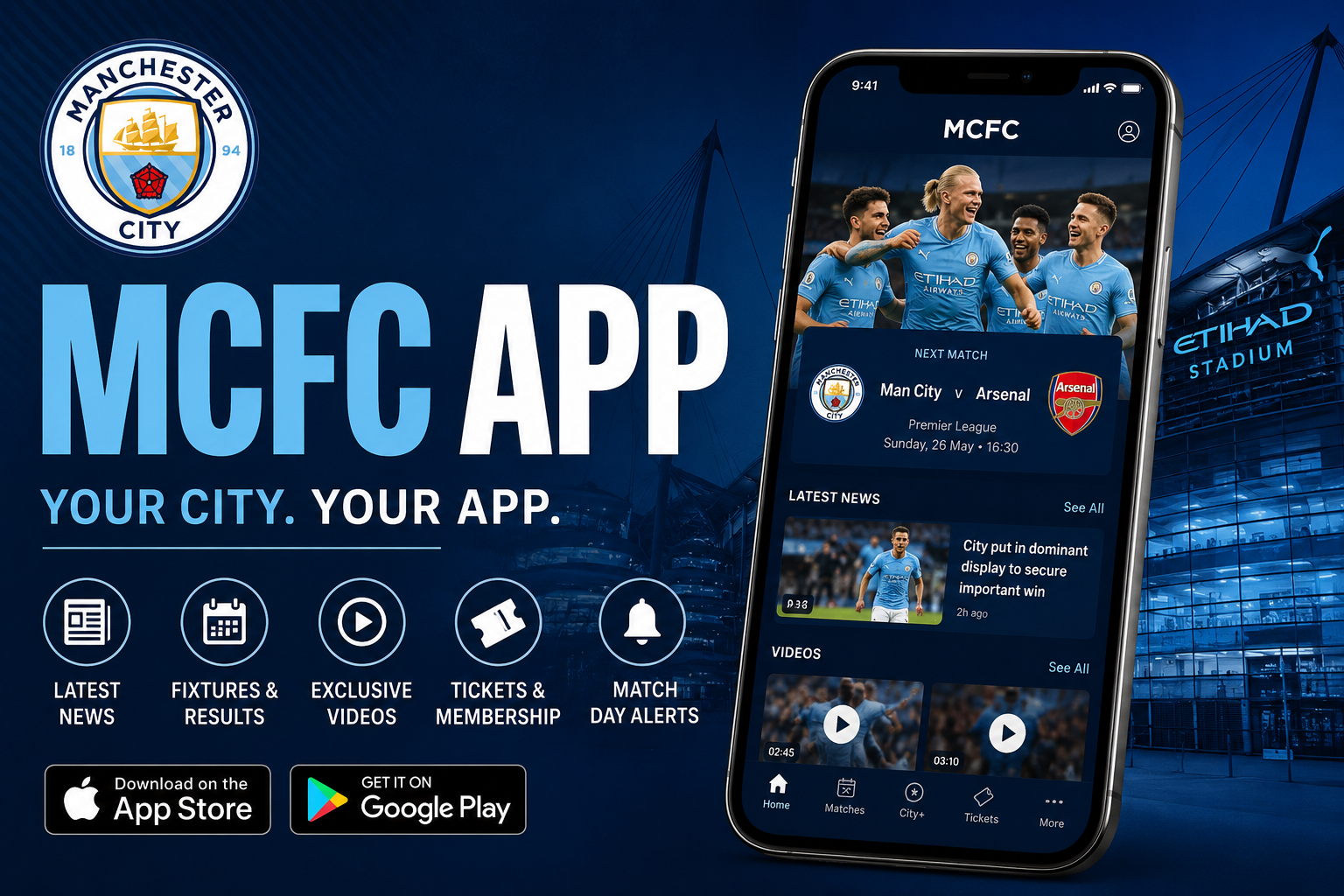
The MCFC app is a helpful tool for every Manchester City fan. It brings together news, tickets, videos, and match updates right on your phone. Many people love football and want to feel close to their favorite team. This app makes that easy because it puts everything in one simple place. You can check scores, see player news, and even handle your game tickets without any trouble. In 2026, the app has become even better with new ways to watch content and get updates fast. This guide will help you learn how to use it step by step so you never miss a moment with City.
Why the MCFC App Matters for Fans
Football fans have busy lives. They work, study, or spend time with family. Because of this, they need quick ways to stay connected to Manchester City. The MCFC app solves this problem nicely. It gives you the latest news from the men’s team, women’s team, EDS, and academy all in one spot. After that, you can watch videos or plan your next match visit.
Another thing is that the app helps you feel part of the City family. For example, you might be at school during a big game. With the app, you get live updates on your phone so you know what is happening right away. Over time, many fans say this makes them enjoy the club more. That’s why so many people download it and use it every day.
How to Download and Set Up the MCFC App
Getting started is very easy. First, open the app store on your phone. Search for “Manchester City Official App” and tap the download button. It works on both Android and iOS phones. After the download finishes, open the app.
Next, you will see a welcome screen. You can create a free Cityzens account here. This step is important because it unlocks special features. For example, you can join competitions and get rewards just for being a fan. After that, the app will ask if you want push notifications. Say yes to these because they tell you about big news and match starts.
In addition, you can personalize your settings. Go to the account section and choose what kind of updates you like. This means you can pick news only about the men’s team or women’s team. Many fans do this so they do not get too many messages. Over time, this makes the app feel just right for you.
Managing Tickets with the MCFC App
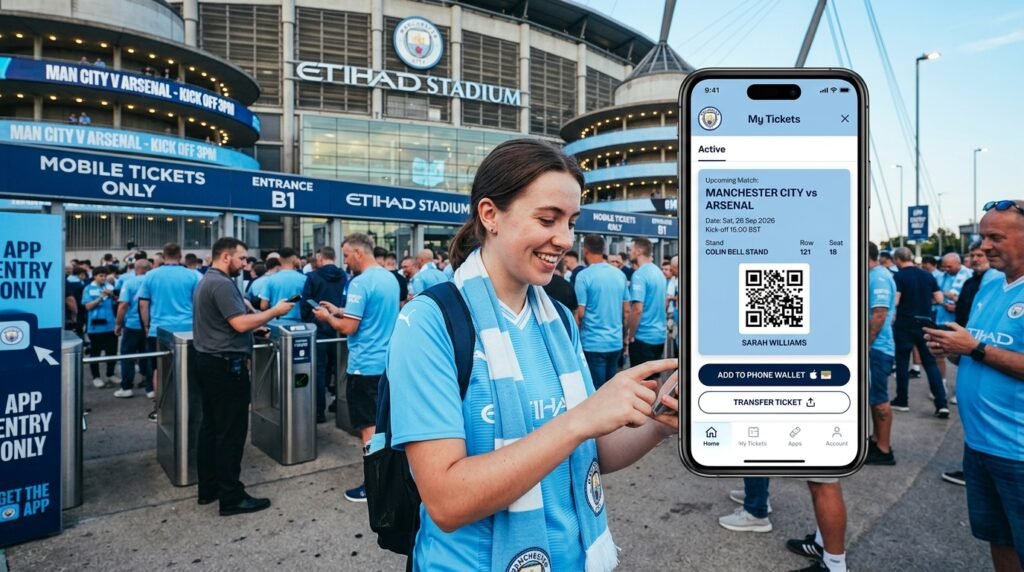
One of the best parts of the MCFC app is how it helps with tickets. Many fans buy tickets for games at the Etihad Stadium. The app lets you keep them safe on your phone. After you buy tickets through the official site, they often appear in the app. You can then add them to your phone wallet for easy entry on match day.
For example, imagine you have tickets for a big Premier League game. Open the app, go to the tickets section, and see all your upcoming matches. You can also manage tickets for friends and family. This is useful because sometimes plans change. The app makes it simple to transfer or update details.
Another helpful thing is checking ticket news. The app sends alerts about new sales or special offers for members. That’s why having the app ready helps you get good seats faster. Always remember to update the app so everything works smoothly. In 2026, mobile tickets are the main way to enter the stadium, so the app keeps everything safe and quick.
Watching Content and Highlights on the App
The MCFC app is great for watching videos. It has CityTV inside, which shows match highlights, tunnel cam, and behind-the-scenes clips. After a game ends, you can watch the best moments right away. This is perfect for fans who cannot watch live because of work or time differences.
In addition, there is CITY+ for even more special content. Fans can find longer highlights, full replays, and exciting documentaries. For example, you might learn how players train or hear stories from inside the club. These videos help you understand the team better and feel more connected.
Next, the app also has live match features. During games, you see line-ups, stats, and live text updates. Some fans like to listen to audio commentary while they are on the bus or at home. Because all this is in one place, you do not need to switch between different websites or apps. Over time, this saves you time and makes watching football more fun.
Staying Updated with News and Matchday Features
Staying updated is simple with the MCFC app. It brings the latest news from all City teams. You might read about new player signings, injury updates, or press conferences. The app shows these stories clearly with pictures and short videos.
On matchday, the Matchday Centre becomes your best friend. It gives live scores, player ratings, and fun facts during the game. For example, you can see how many shots your favorite player took. After the final whistle, post-match interviews and analysis appear quickly.
Another thing is fixtures and results. The app shows the full schedule for men’s, women’s, and youth teams. This helps you plan your week. In addition, you can set reminders so you never forget a game. Many fans check the app every morning because it gives them a happy start to the day with good City news.
Exploring Other Useful Features in the MCFC App
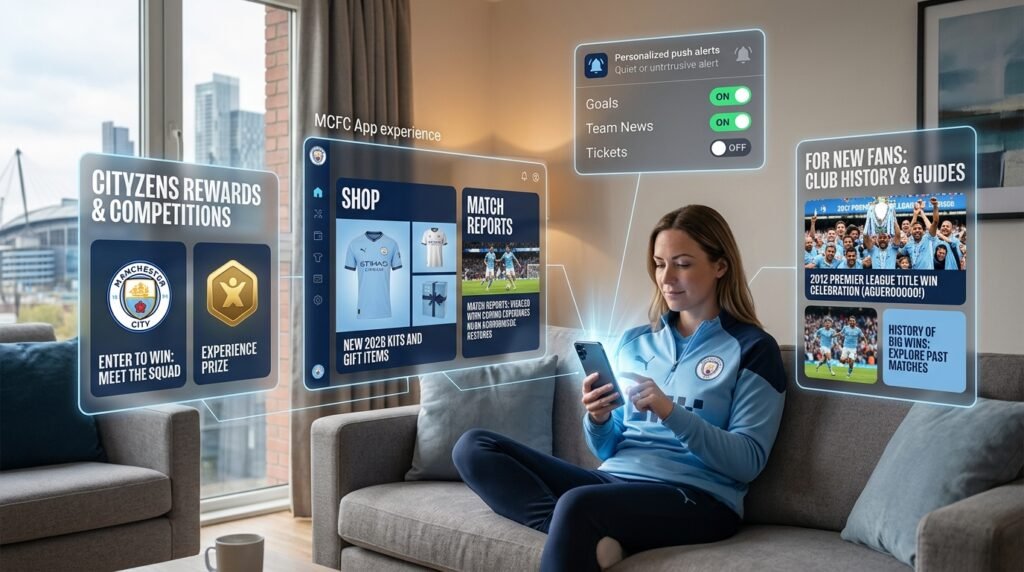
The app has more than just news and tickets. You can visit the shop section to see new kits and gifts. This is nice because you can buy presents for family while reading match reports. Also, there are Cityzens rewards and competitions. Fans who join these often win special experiences or items.
Push notifications are another great tool. You can choose to get alerts only for goals, team news, or ticket information. This means your phone stays quiet when you need it to, but it wakes up for important moments. In 2026, these personalized options make the app feel modern and friendly.
For new fans, the app has simple guides and history sections. You can learn about past games and big wins. This helps beginners understand why people love Manchester City so much. Because everything connects together, the app grows with you as a fan.
Common Tips and Mistakes to Avoid
Many fans make small mistakes when they first use the app. One common one is forgetting to log in with their Cityzens account. Without login, you miss exclusive content and competitions. Always take a minute to sign in.
Another thing is not turning on notifications. This means you might miss ticket sales or big news. After you set them up once, they work well for a long time. Also, keep your app updated. New versions often fix problems and add nice features like better video quality.
On matchday, arrive early and check your tickets in the app before you reach the stadium. This avoids any last-minute stress. In addition, if you travel to away games, the app still gives you updates so you feel part of the action. Simple steps like these help you enjoy the app more.
FAQ About the MCFC App
How do I download the MCFC app?
Go to your phone’s app store, search for Manchester City Official App, and download it for free. It works on most phones.
Can I buy tickets directly in the app?
The app mainly helps manage tickets you already bought. Check the official website for sales, then add them to the app.
Does the app work without internet?
Some parts like saved tickets work offline. But news, videos, and live updates need a good connection.
Is CITY+ free?
No, CITY+ is a paid option for extra videos and replays. The basic app with news and highlights is free.
How do I personalize notifications?
Open the app, go to your account, and choose the teams and topics you like best.
What should I do if tickets do not show in the app?
Make sure you are logged in and check your memberships section. Sometimes downloading to your phone wallet helps.
Can young fans use the app?
Yes, the app is safe and fun for fans of all ages. Parents can help set it up.
Wrapping Up Your MCFC App Journey
The MCFC app is a wonderful companion for Manchester City supporters. It helps you manage tickets easily, watch great content, and stay updated with everything happening at the club. From simple news stories to exciting matchday moments, the app brings the team closer to you every day.
As you use it more, you will discover new ways it makes being a fan better. Try different features, personalize your settings, and enjoy the journey. Whether you are a long-time supporter or just starting, the app adds joy to your football experience. Stay blue and keep supporting City through every season.
Disclaimer: This guide is written to help fans understand the MCFC app in a simple way. It is not an official document from Manchester City Football Club. All details can change over time, so please use the app and club sources for the latest information. We do not promote any services and aim only to share helpful knowledge.
Explore More:
What Is The LandApp? Complete Overview for Landowners and Farmers
An App Download Guide: Installation, Login & Troubleshooting
About the Author