The Hawaiian Airlines app has grown into a wonderful travel friend in 2026. It is now the unified Alaska Hawaiian app that brings everything together in one simple place. This app helps you plan trips, book flights, and enjoy smooth journeys to Hawaii and many other places. It feels like having a helpful guide right in your pocket. Many people love it because it makes travel less stressful and more fun, especially after the recent updates from the airline merger.
Whether you are a new traveler dreaming of your first island adventure or a family that flies often between islands, this app is made for you. It works great for leisure travelers who want sunny beaches, families with kids, and even people who commute between islands for work. The app saves time and gives you peace of mind from the first idea of a trip until you return home happy.
Why Download the Hawaiian Airlines App in 2026
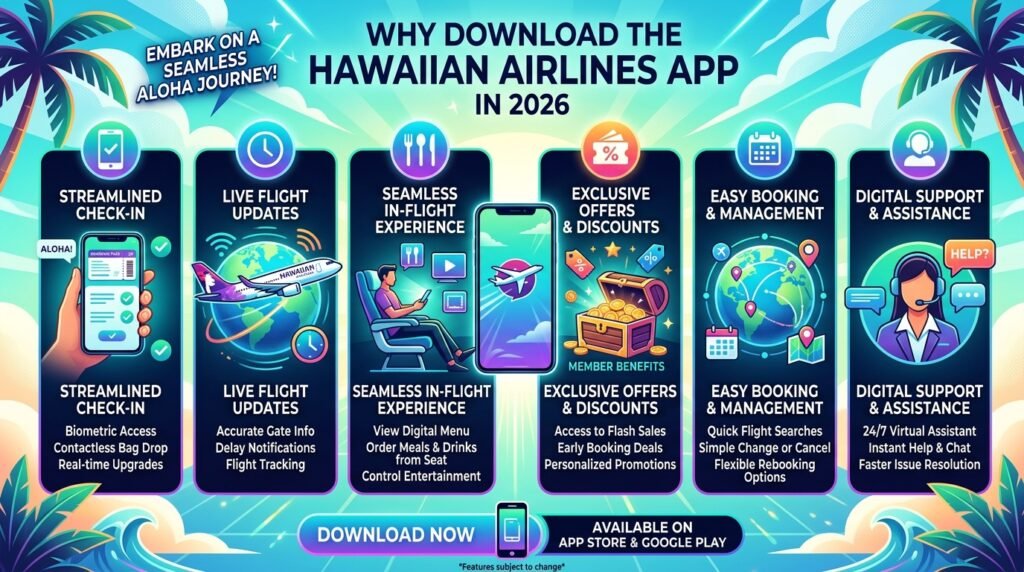
Many people still use websites or other tools to book travel, but the Hawaiian Airlines app makes things much easier. It gives you quick access to everything without needing to switch between different screens or wait for slow pages to load. Real-time updates come straight to your phone so you always know what is happening with your flight.
After the merger updates, the app now offers special features that help you book with partner airlines and manage rewards in one spot. You can handle trips on Hawaiian and Alaska flights easily. This means less worry and more time to enjoy planning your vacation. The app also connects smoothly to Atmos Rewards, so you can see your points and use them without extra steps. Families find it simple to book together, and frequent flyers enjoy the speed and control it provides.
How to Download and Set Up the Hawaiian Airlines App

Getting started with the Hawaiian Airlines app is quick and friendly. On your iPhone, open the App Store and search for “Alaska Hawaiian.” You can also visit the official airline site for a direct link. Android users can search the same name in Google Play. The app is free to download and works on most newer phones.
Once you have the app, open it and log in with your existing account. Your old HawaiianMiles or Alaska details still work, so nothing gets lost. You can choose between a Hawaiian or Alaska theme to make the app feel just right for you. Turn on notifications to get important updates, and set up face or finger login for fast and safe access.
If you run into a small problem, like the app not opening right away, try closing it and opening again or checking your internet. Most people set it up in just a few minutes and feel ready to go. After setup, explore the home screen because it shows helpful travel tips right away.
Key Features of the Hawaiian Airlines App
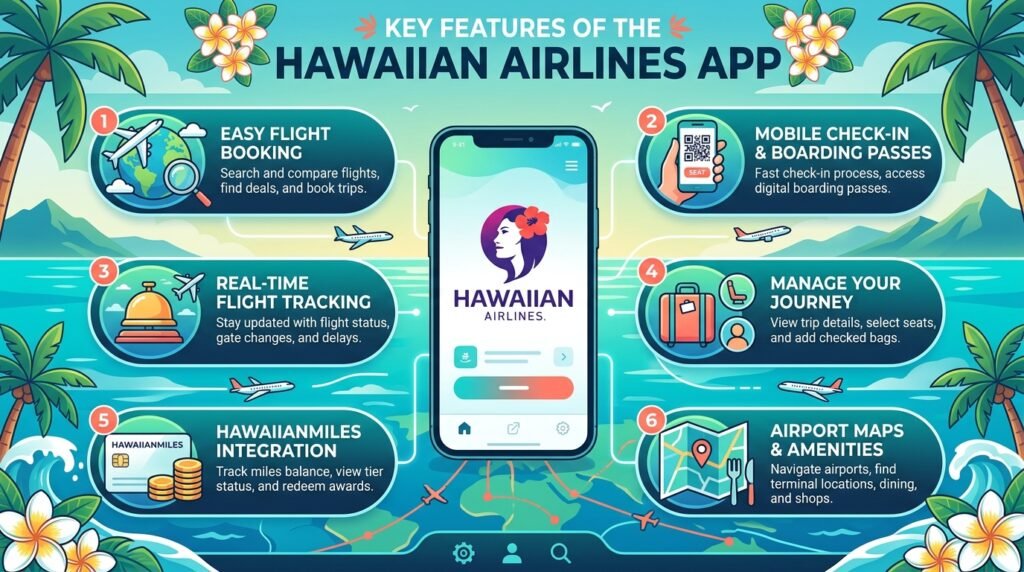
The Hawaiian Airlines app has many useful tools that make travel simple. Each part helps you in different ways during your trip. You will discover how these features work together to create a smooth experience from start to finish.
Booking Flights and Partner Travel
Booking flights feels easy and fun in the app. You can search for trips on Hawaiian, Alaska, and more than 30 partner airlines all in one place. Pick your dates, see the best choices, and pay with money or points from your rewards.
This saves time because you do not need to visit different sites. Families can book seats together, and everyone gets clear prices right away. The app shows helpful details like flight times and stops so you can choose what works best for your group.
Mobile Check-In and Boarding Passes
Checking in is one of the best parts of the app. Open it 24 hours before your flight and finish the steps in minutes. Your digital boarding pass appears on your phone, and it works even without internet in some cases. You can share passes with family members so everyone stays together.
New self-service options in 2026 make this even faster. No more long lines at the airport for many travelers. Just show your phone at security and the gate. It feels like magic when your trip starts without extra waiting.
Managing and Modifying Trips
Life can change plans sometimes, and the app helps you adjust. View your full itinerary anytime. Change flights, cancel if needed, add extra bags, or pick better seats all without calling anyone. These tools give you control and save you time during busy days.
Many travelers say this feature reduces stress because help is right there in your hand. You see clear options and costs before you decide, so you always know what to expect.
Real-Time Flight Tracking and Notifications
The app keeps you informed with live updates about your flight. See gate changes, delays, or on-time news as soon as they happen. Baggage tracking shows where your bags are, and push messages come to your phone for important alerts.
This means you can relax more at the airport or even at home before leaving. Parents especially like knowing exactly when to head to the gate with kids.
In-App Payments and Rewards Management
Paying is safe and quick with Apple Pay and other easy choices. You can also check your Atmos Rewards balance, earn points on flights, and redeem them for future trips. All loyalty perks appear in one clear view.
Watching your points grow feels exciting, like saving for a special treat. The app shows progress toward better status levels so you can plan fun rewards ahead.
Airport Navigation and Additional Tools
Inside the app, you find maps that guide you through airports with simple directions. Learn about gates, food spots, and more. It also helps with car rentals and has a chat option for quick questions to support staff. In-flight entertainment choices appear too, so you know what to watch on your flight.
These tools turn confusing airports into friendly places you can navigate with confidence.
Unique Tips and Hidden Features Most Travelers Miss

Many people use the basic parts of the Hawaiian Airlines app but miss some special touches. You can customize the home screen to show what matters most to you, like favorite routes or rewards progress. Offline access lets you view boarding passes and some info even without Wi-Fi.
Family and group tools make it simple to manage trips for everyone together. Some travelers connect the app with other travel services for even smoother planning, such as hotel ideas or ground transport. Try exploring the settings menu because small changes there can make your experience much better.
Troubleshooting Common Issues with the Hawaiian Airlines App
Sometimes small problems pop up, but most are easy to fix. If login does not work, check your password or try restarting the app. Missing bookings often appear after refreshing the screen or checking your internet.
For check-in troubles, make sure you start 24 hours early and update the app to the newest version. Notification issues can be solved by checking your phone settings to allow alerts from the app. After big updates, it helps to log out and log back in.
If nothing works, the app has a support chat or you can reach the airline team. Most people solve issues quickly and get back to enjoying their plans.
Comparing the Hawaiian Airlines App to Alternatives
The official Hawaiian Airlines app stands out compared to airline websites because it feels faster and more personal on your phone. Third-party booking tools may show good prices, but they often miss real-time updates and direct rewards access that the real app gives you.
Other airline apps work well for their own flights, but this unified one shines for Hawaii trips and connections across the big network. It combines the best of both Hawaiian and Alaska worlds in a way that feels natural and complete. For travelers focused on island adventures, it offers special local value that others cannot match.
Future of the Hawaiian Airlines App and Travel Updates
The team behind the app keeps making it better with new ideas. Later in 2026 and beyond, expect more helpful tools for the growing combined network. This supports easier travel between many destinations while keeping the warm Hawaiian spirit alive.
To stay updated, turn on notifications and check the app often for fresh news. Small improvements happen regularly, so your travel companion gets smarter over time. This means even better trips in the years ahead.
FAQ
What is the Hawaiian Airlines app called now?
It is the unified Alaska Hawaiian app. You can switch themes inside to match your favorite airline look.
Do I need a new account after the merger?
No. Your old login and password still work perfectly, and all your trips and points move over safely.
Can the app help with family trips?
Yes. It lets you book and manage seats for groups and share boarding passes easily with everyone.
Does it work without internet?
Some parts like saved boarding passes and basic info stay available offline, which is great at busy airports.
How do I earn more rewards points?
Fly with Hawaiian, Alaska, or partners. The app shows your balance and ways to earn faster toward nice benefits.
Is the app safe for payments?
Yes. It uses secure methods like Apple Pay and protects your information carefully.
What if my flight connects between airlines?
The app handles both Hawaiian and Alaska flights in one view, making connections much simpler.
How often should I update the app?
Check for updates regularly so you get the newest features and smooth performance.
Conclusion
The Hawaiian Airlines app is a true travel companion that brings joy and ease to every step of your journey. It helps you book, manage, and enjoy trips with confidence in 2026. Download it today, set it up on your phone, and get ready for smoother adventures to beautiful places.
You will love how simple and friendly it feels. Pack your bags, open the app, and start planning your next Hawaiian getaway. Share your own travel stories with friends and family because good trips are even better when shared. Have a wonderful time exploring!
Disclaimer
This article is for informational purposes only and reflects general knowledge about the Hawaiian Airlines app as of 2026. It is not an official guide from Hawaiian Airlines or Alaska Airlines, nor affiliated with them. Always check the latest details directly in the app or on the airline’s website, as features and services can change. The information shared here aims to help travelers but should not replace official instructions or support.
Explore More:
Hatch Sleep App Interface Review: Easy Controls, Notifications & Setup Tips
GVA App 2026: Complete Guide to San GVA App, Aules GVA App & Docent GVA App
About the Author