Many people today feel busy and stressed. They want peace in their minds but do not know where to start. The Balance app can help with this. It is a tool designed to make meditation and mindfulness easier for everyone. This app acts like a friendly guide that learns about you over time. Because it changes with your needs, it helps beginners and others build a calm daily habit. In this article, you will learn simple ways to use the Balance app. You will see how it supports better meditation and mindfulness in your life.
Meditation means sitting quietly and paying attention to the present moment. Mindfulness is noticing your thoughts and feelings without judgment. These practices can lower stress, improve focus, and bring more joy. The Balance app makes them simple because it gives short guided sessions and asks easy questions each day. Over time, this helps you feel more relaxed and in control. Next, we will look at how to begin.
Getting Started with the Balance App
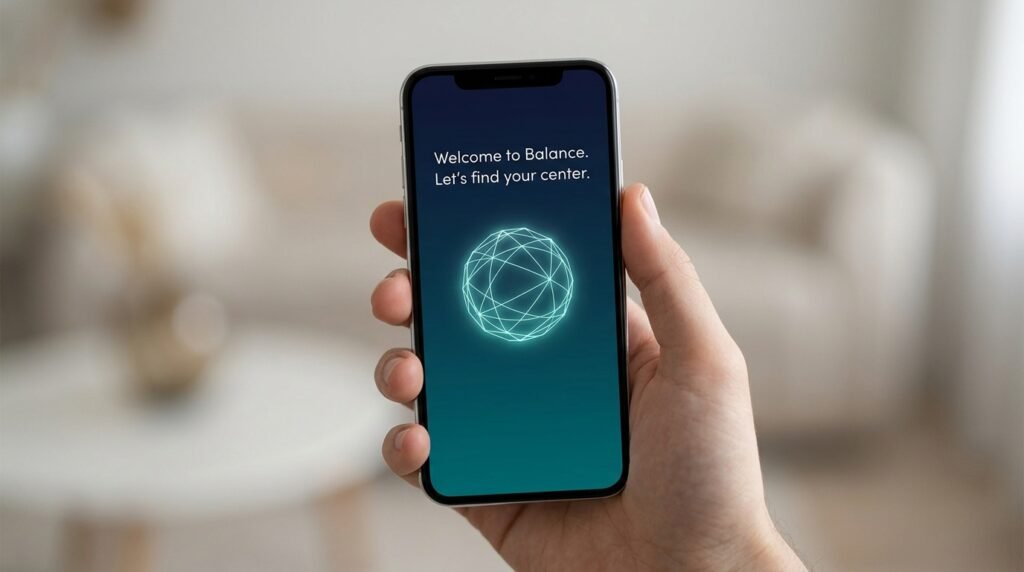
First, download the app on your phone. It works on common devices. When you open it, the app welcomes you with friendly questions. It wants to know your age, if you have tried meditation before, and what goals you have. For example, you might want better sleep or less worry. Answer honestly because this information helps the app create sessions just for you.
After that, you will see the Today tab. This is your main screen. Scroll down to find a daily meditation suggestion. It might be short, like five or ten minutes. Choose a coach voice that feels comfortable. There are two calm voices to pick from. Tap begin, sit in a quiet spot, and follow the gentle words. This means the app starts teaching you right away without confusion.
Another thing is that the app builds skills step by step. In the beginning, it often starts with basic plans like Foundations. These plans last ten days and teach one skill at a time. This structure feels like having a patient teacher nearby. You do not need to guess what to do next. The app remembers your answers and adjusts.
Understanding the Main Parts of the App
The Balance app has clear sections at the bottom of the screen. After the Today tab, there is the Plans tab. Here you find different ten-day courses. Each plan focuses on something helpful, such as focus, relaxation, or handling difficult feelings. Tap on a plan, pick the length, and start. Because the plans connect day after day, you learn and grow naturally.
Next, look at the Singles section. These are quick meditations for any moment. You might need help to wake up, calm down, or prepare for sleep. For instance, if you feel anxious before a meeting, choose a short single session. It only takes a few minutes but brings big calm. This flexibility makes the app useful on busy days.
In addition, the app offers immersive meditations for some users. These mix sound, gentle guidance, and even phone vibrations. Hold your phone lightly while you listen. The experience feels deeper and more relaxing. Over time, you notice how these features help your body and mind work together.
The Profile tab lets you check your progress. You see how many days you practiced and which skills you are building. This view encourages you without pressure. You can also set reminders so you do not forget your daily time.
Learning Key Meditation Skills with the App

One of the best parts is how the Balance app teaches real skills. It does not just play relaxing music. Instead, it guides you through techniques that you can use anytime. For example, breath focus helps you notice your breathing. You sit comfortably, breathe slowly, and return your attention when your mind wanders. This simple step trains your focus like exercising a muscle.
After that comes body scan. The guide helps you pay attention to each part of your body from head to toes. You notice feelings without trying to change them. Many people feel more relaxed after this because tight muscles loosen up. Another useful skill is labeling thoughts. When a worry pops up, you gently name it, like “thinking” or “planning.” This means you do not get stuck in the thought.
Loving-kindness is another warm practice. You send friendly wishes to yourself and others. It might feel new at first, but over time it brings more kindness into your day. The app mixes these skills in your daily sessions. Because it checks in with you each time, the lessons match your current mood and energy.
Real-life example: Sarah felt distracted at work. She used the app every morning for ten days. Soon she could notice when her mind wandered during meetings and bring it back gently. This small change made her days smoother and happier.
Building a Daily Meditation Habit
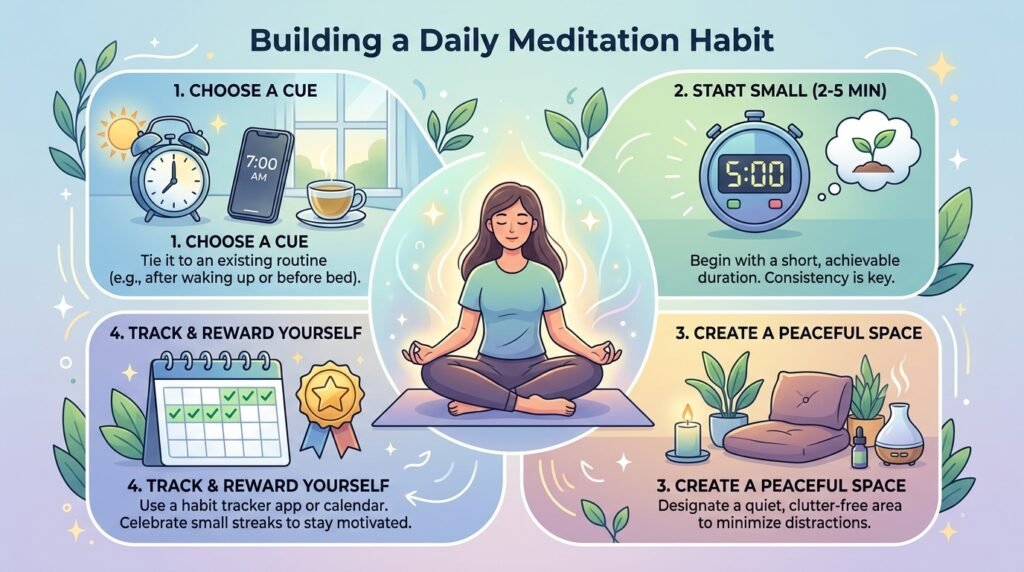
Starting is easy, but keeping the habit takes care. The Balance app helps by making practice part of your routine. Each day it asks how you feel and what got in the way. Then it creates a fresh meditation. This personal touch keeps things interesting.
Begin with short times, like five minutes. Sit in the same chair each morning or before bed. After you finish, notice how your body feels. Maybe your shoulders are lower or your breathing is slower. These small wins add up. In addition, the app suggests ways to bring mindfulness into normal activities. You can notice the taste of your food or the feel of walking. This turns ordinary moments into calm ones.
Mistakes to avoid: Do not worry if your mind wanders a lot. Everyone’s does. The app teaches you to return kindly without self-criticism. Also, skip days sometimes happen. Just begin again the next day. Consistency matters more than perfection. Over weeks and months, you will see steady progress in your mood and focus.
Using the App for Sleep and Stress Relief
Good sleep helps everything else in life. The Balance app has special content for rest. There are wind-down activities and soothing sounds. Listen to a sleep story or color noise before bed. These tools calm racing thoughts so you fall asleep easier.
For stress, quick singles or daily check-ins work well. When you feel overwhelmed, open the app and choose a short session. The guidance reminds you to breathe deeply and relax your body. After that, you return to your tasks with clearer thinking. Many users notice less anxiety because the practices build inner strength.
Another helpful feature is tracking mindful minutes. This shows how often you practice. Seeing your progress feels rewarding and keeps you going.
Tips for Getting the Most from Your Practice
Choose a quiet, comfortable place. Turn off notifications on your phone so nothing disturbs you. Sit up straight but relaxed. Some people like to meditate with eyes closed, while others keep them softly open. The app works with what feels right for you.
Listen to different coach voices to see which one helps you focus best. Change the session length as you grow. Beginners often start short and add time later. In addition, combine the app with gentle movement, like walking mindfully after a session. This mix makes mindfulness part of your whole day.
Track your mood before and after meditations. You might notice you feel lighter or more patient. These real changes motivate you to continue. If something feels hard, the app’s questions help it adjust future sessions.
Unique angle for 2026: With busy modern life, short personalized tools like those in the Balance app fit easily into schedules. People use them during lunch breaks or commutes to stay balanced.
Common Questions About the Balance App
How long should I meditate each day?
Start with five or ten minutes. The app suggests times that match your level. As you get comfortable, you can choose longer sessions. Consistency every day helps more than one long session once a week.
Is the app good for complete beginners?
Yes. The Foundations plan teaches basics slowly. It explains everything clearly and builds skills one by one. You do not need any experience to begin.
Can I use it for better sleep?
Absolutely. Choose sleep-focused singles or plans. The relaxing sounds and guidance prepare your mind and body for rest.
What if I miss a few days?
That is normal. The app welcomes you back without judgment. Just open it and continue from where you are.
Does it cost money?
There is a free trial period to try the basics. After that, a subscription gives full access to all plans and features. Check current details in the app.
How does it personalize my sessions?
You answer quick questions daily about your mood and practice. The app uses this to mix audio pieces that fit you perfectly.
Can kids or families use it?
Some families enjoy short sessions together. The calm voice and simple instructions work well for many ages, but check what feels right for your family.
Wrapping Up Your Mindfulness Journey
Using the Balance app for meditation and mindfulness opens a gentle path to calmer days. You learn skills like breath focus and body scan. You build a daily habit that grows with you. The personalized plans, quick singles, and relaxing tools all support your goals. Over time, you feel more present, less stressed, and happier in everyday life.
Remember, the journey is yours. Be patient and kind to yourself as you practice. Small steps lead to big changes. Start today with just one short session, and watch how mindfulness becomes a natural part of your world.
Disclaimer:
This article provides general information about meditation and mindfulness practices based on publicly available details. It is not intended as medical or professional advice. Consult a qualified healthcare provider for any health concerns. The content is for educational purposes only and does not endorse or promote any specific app, service, or product.
Short disclaimer: This is an independent informational article. Always verify current app features directly in the app store or official sources before use.
Explore More:
Whappz App: Complete Guide, Features, Download & Review (2026)
Why Does My App Close Automatically? Complete Solution Guide
About the Author