Living with hearing loss is easier now than ever before. New technology helps people hear clearly in daily life. One of the best tools is the BeMore app from GN Hearing. This free app works as a smart remote control for your hearing aids. You can change settings easily from your phone without touching your ears.
This simple guide explains everything about the BeMore app in 2026. You will learn what it does, which hearing aids work with it, its main features, how to start using it, and the newest updates. All information comes from official GN Hearing sources, app stores, and user guides for accuracy and trust.
What Is the BeMore App?
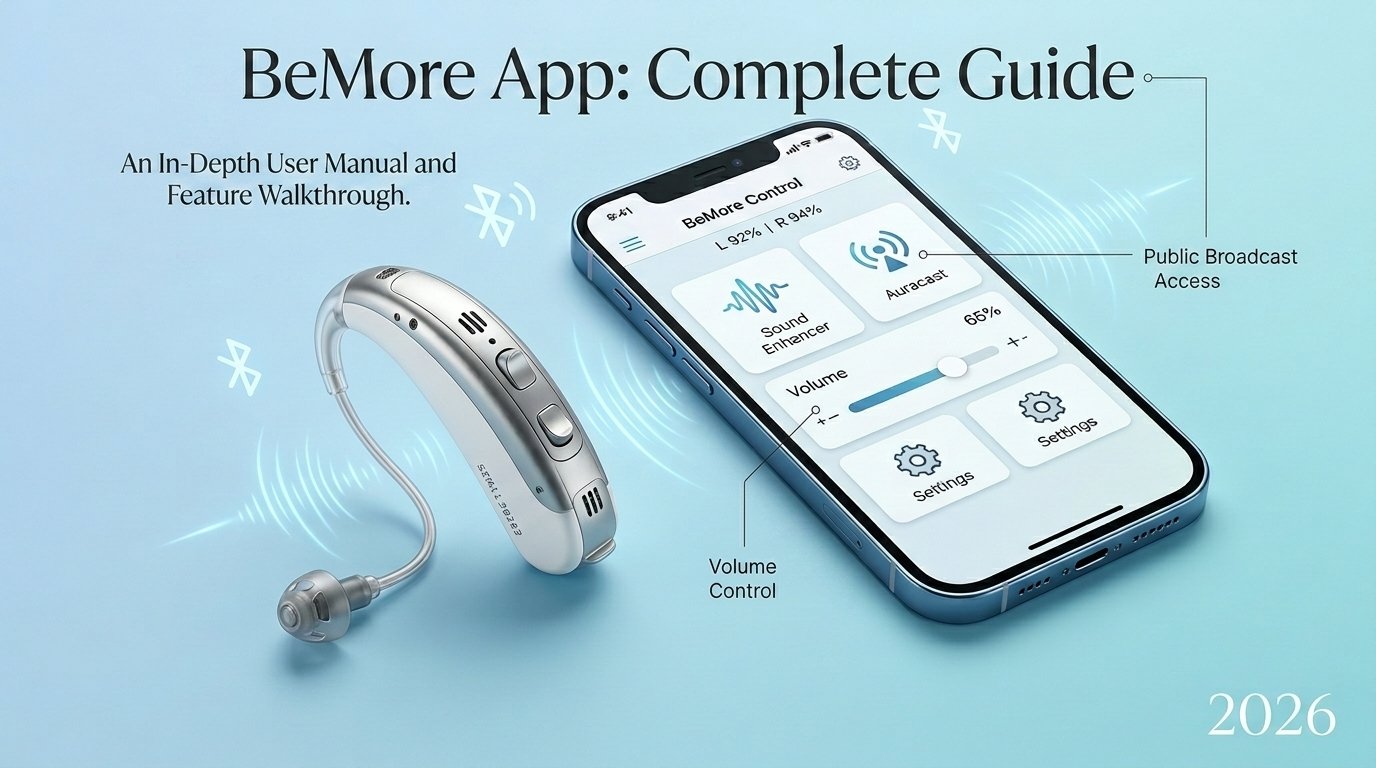
The BeMore app is a free mobile application made by GN Hearing. It lets you control compatible hearing aids directly from your smartphone. Open the app, and you can adjust volume, change programs, and make sound better for different situations.
It is more than just a volume control. The app helps you personalize your hearing, connect to helpful audio in public places, get support from your hearing professional, and even locate lost hearing aids. Many people with Danavox or Danalogic hearing aids use it every day. It makes life simpler and more independent.
Why the BeMore App Is Helpful in 2026
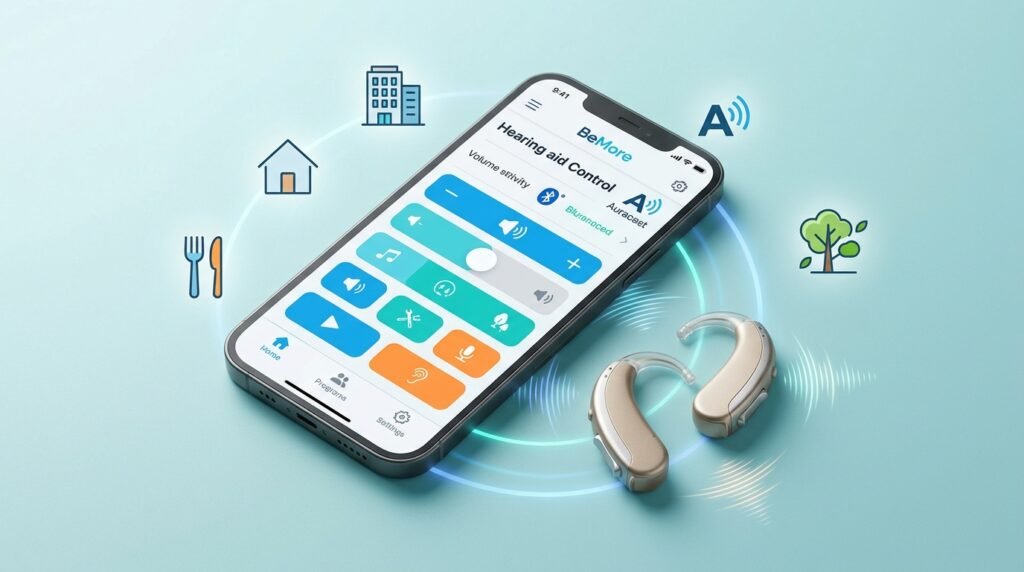
Hearing aids are now smarter than before. The BeMore app connects them to your phone so you stay in full control. You can save settings for home, work, restaurants, or walks outside. This means better hearing without constant adjustments.
The app has large, clear buttons that are easy for everyone to use. Many users say it feels natural and helps them join conversations, enjoy music, and feel more confident in noisy places. In 2026, new tools like Auracast make it even more powerful.
Main Features of the BeMore App
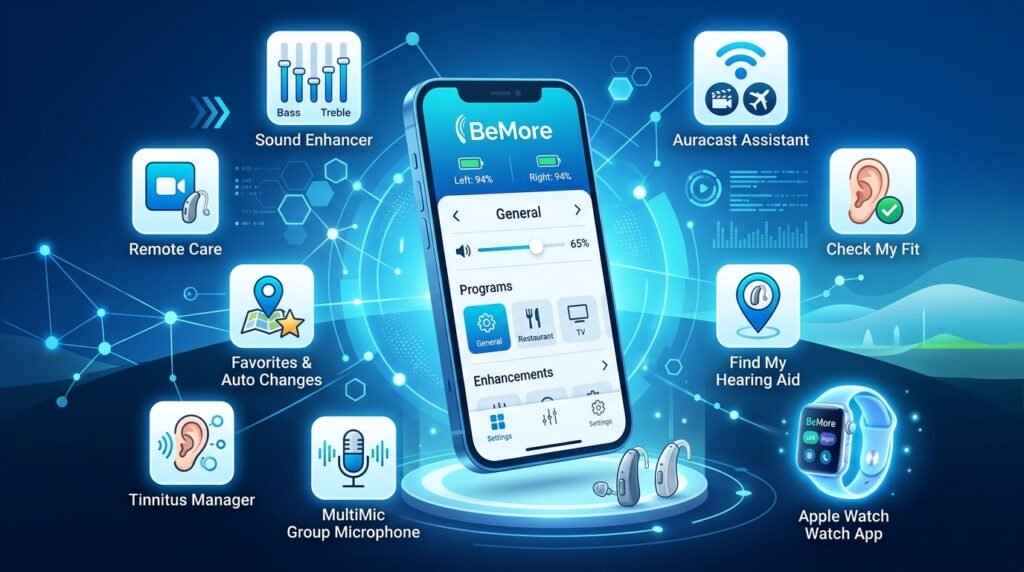
The app offers several easy-to-use tools that improve your hearing experience.
Sound Enhancer
This is one of the most popular parts. You can adjust bass for music, make high sounds clearer for voices, or reduce wind and background noise. It helps in restaurants, outdoors, or busy shops. You can save these changes as favorites so the app remembers them.
Auracast Assistant
This new feature, added in 2025 and improved in 2026, is very useful. Auracast is a modern Bluetooth technology that sends audio in public places. At an airport, you can hear announcements clearly in your hearing aids. At a cinema or event, movie or speech sound comes straight to you. The app makes connecting simple and quick.
Remote Care and Live Help
You do not always need to visit the clinic. Your hearing professional can send new settings through the app. Download the update, and your hearing aids improve right away. Some professionals offer live video sessions to make real-time changes while you stay at home. This saves time and travel.
Check My Fit
This tool helps you wear your hearing aids correctly. Take a quick photo of your ear, and the app checks the position. Good fit means better sound and less chance of the aids falling out.
Find My Hearing Aid
If you lose a hearing aid, the app shows the last known location on a map. This feature has helped many people find their devices quickly.
Tinnitus Manager
For people who hear ringing in their ears, the app has calming sounds like ocean waves or gentle noise. You can adjust these to feel more comfortable during the day or at night.
Favorites and Automatic Changes
Save your best settings for different places. The app can use your phone’s location to switch automatically when you arrive at a favorite spot, like your coffee shop.
Other Useful Tools
The app shows battery levels for rechargeable aids. You can control extra accessories like the Multi-Mic for group talks. It also works with Apple Watch for fast changes from your wrist.
Which Hearing Aids Work with the BeMore App?
The app works best with hearing aids from GN Hearing, including Danavox and Danalogic brands. It supports many modern wireless models.
Compatible examples include:
- Danavox XC Series, such as the XC461 and similar models.
- Danavox behind-the-ear (BTE) and receiver-in-ear (RIE) models from 2020 onward.
- Danalogic Actio and Ambio Smart models, often used through health services like the NHS.
- Accessories such as Multi-Mic+ for better group listening.
Always ask your hearing care professional for the exact match with your devices. New models are added regularly. The app works with both rechargeable and battery-powered hearing aids.
What Phones Work Best with the App?
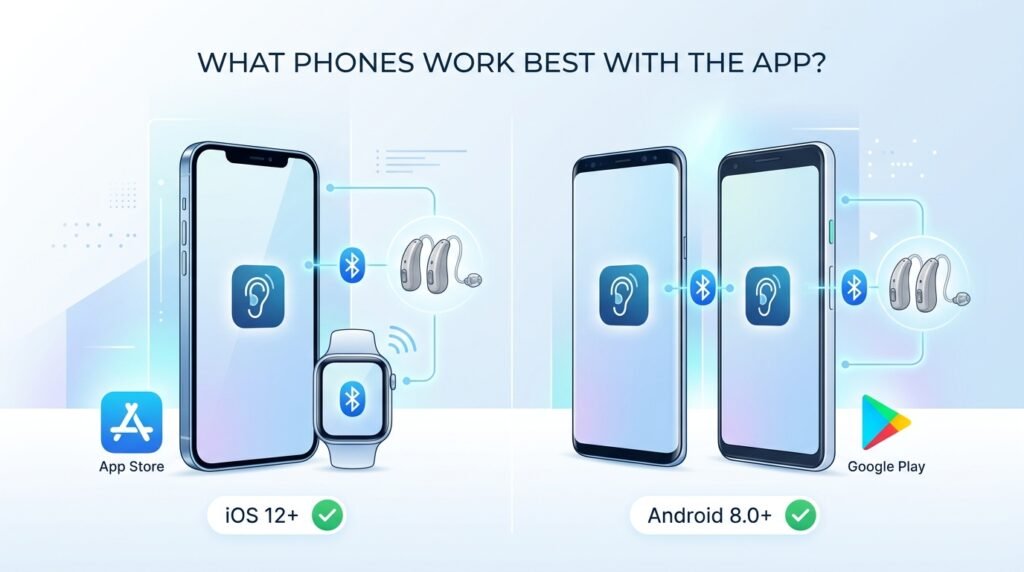
For iPhone users
You need iOS 12 or later. It runs on iPhone 5s and newer phones. Newer models (iPhone 12 and above) give the best performance for features like Auracast. Apple Watch support is also available.
For Android users
Most modern phones from Samsung, Google Pixel, and other brands work well. You need Android 8.0 or later and good Bluetooth support. The app is free on the Apple App Store and Google Play Store.
Latest Updates in 2026
GN Hearing keeps improving the app. In early 2026, versions 1.43.0 and 1.43.1 added important changes:
- Stronger and more stable connection, even when moving between rooms.
- Better battery use on your phone.
- Easier Auracast connections for public audio.
These updates make daily use smoother. Earlier updates brought Auracast and better remote care options.
How to Set Up the BeMore App – Easy Steps
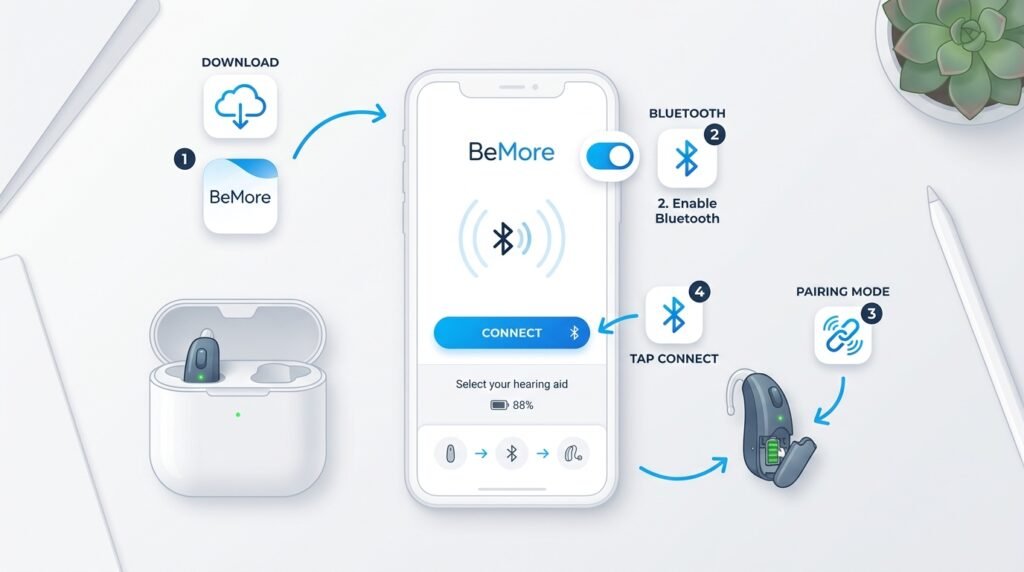
Starting is quick and simple:
- Download the “BeMore” app from the Apple App Store or Google Play Store. Choose the one by GN Hearing.
- Turn on Bluetooth on your phone.
- Put your hearing aids in pairing mode (open and close battery doors or place rechargeable ones on and off the charger).
- Open the app and follow the instructions to connect your devices.
The app guides you through everything. If you face any issue, restart your phone and hearing aids and try again.
Good Points and Things to Know
Good Points
- Very easy to use with big, clear controls.
- Saves time with personalized settings.
- Remote help from professionals without clinic visits.
- Discreet – no one knows you are adjusting your hearing aids.
- Helpful tools like location finder and fit checker.
Things to Consider
- Using Bluetooth can use some extra phone battery.
- After big phone updates, you may need to reconnect the aids.
- Occasional connection drops can usually be fixed with a quick restart.
Most users give the app good ratings (around 4 stars or higher). GN Hearing fixes problems through regular updates.
Helpful Tips for Best Results
- Update your hearing aid software when the app tells you. Do it with full battery.
- Save favorite settings for places you visit often.
- Use the Tinnitus Manager if ringing bothers you.
- Keep the app updated for new features.
- Try Sound Enhancer first in quiet places to learn what works for you.
Fixing Common Problems
Most issues are easy to solve:
- Aids do not connect: Turn Bluetooth off and on, or restart your phone.
- Only one aid connects: Restart both hearing aids together.
- App stops working: Check for updates in the store.
- Problems after phone update: Remove and re-add the hearing aids in your phone settings.
If problems continue, contact your hearing professional or use the app’s support options.
Final Thoughts: Is the BeMore App Worth Using?
Yes, the BeMore app is very useful for people with compatible GN Hearing, Danavox, or Danalogic hearing aids. In 2026, it is no longer just an extra tool — it is a complete helper for better hearing. Features like Auracast, remote care, and easy personalization give you freedom and clearer sound in every situation.
The app is free, safe, and regularly improved. It helps you take control of your hearing and stay connected with family, friends, and the world around you. Talk to your hearing care professional to see if it fits your needs.
Disclaimer: This article is for general information only and is not medical advice. Please consult your hearing care professional or doctor before making any changes to your hearing aids or app settings. All images are used only for reference and illustration purposes. This is not a promotional or affiliate article – the author does not earn any commission or money if you download or use the BeMore app. The information is based on details available in 2026 and may change over time. For the latest and most accurate details, always check the official BeMore app or contact GN Hearing support.
Explore More:
WalkFit App: Ultimate 2026 Guide to Weight Loss, Features, Cost & Real User Reviews
Bebird App: Ultimate Guide to Safe Ear Cleaning, Real Reviews & Hidden Issues (2026)
About the Author